
Restore Missing Dialog Preview Images
Symptoms
Do the preview images appear blank when opening SteelPLUS dialogs?
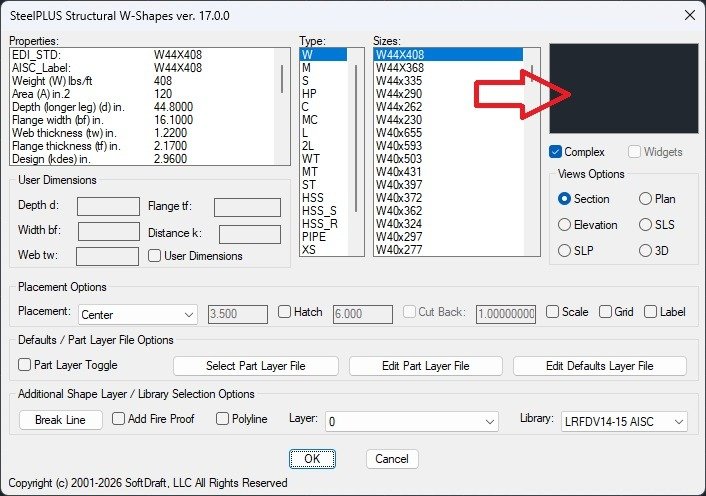
This issue can affect preview images for:
- Structural steel shapes
- Bolts
- Steel deck
- Joists
- Weld symbols
- Other SteelPLUS components
Cause
Missing preview images usually indicate that AutoCAD cannot locate the SteelPLUS support files.
This typically occurs when the Support File Search Path is missing or does not include the SteelPLUS installation folder.
Expected Result
After updating the Support File Search Path:
- Preview images display correctly throughout the SteelPLUS Bundle.
- Component selection is easier and more accurate.
- All SteelPLUS dialogs can access their associated support files.
If the images still do not appear after updating the Support File Search Path, continue to the next troubleshooting lesson for additional solutions.