
Extract the ZIP File
Locate the downloaded .ZIP file.
Right-click the ZIP file and choose Extract All…, or use your preferred .ZIP utility to extract the contents into a new folder.
After extraction, you’ll see the SteelPLUS Bundle installation file.
Run the Installer
To install the software, double-click the .EXE file. The name of the file will be different depending on which version of the software you purchased
VR2027.exe
to launch the SteelPLUS installation program.
If Windows displays a security prompt, click Yes or Run Anyway to continue.
Administrator privileges may be required.
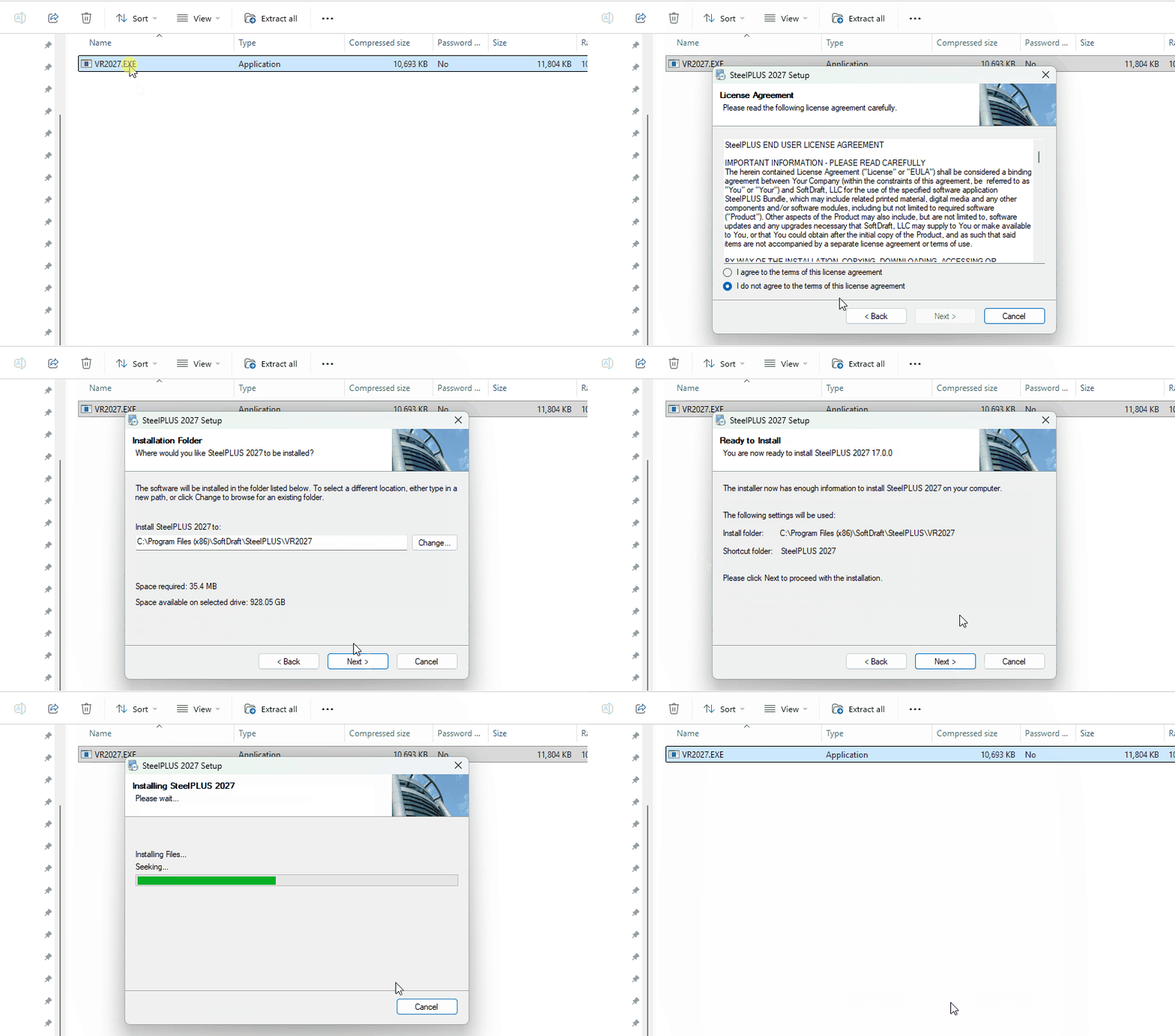
Complete the Installation
Follow the prompts in the installation wizard.
The installer will automatically copy the required files to the appropriate SoftDraft Application folder similar to this one:
C:Program Files (x86)SoftDraftSteelPLUSVR2027
That’s it! The installer places all required files in the correct locations, so no manual file copying or configuration is necessary.